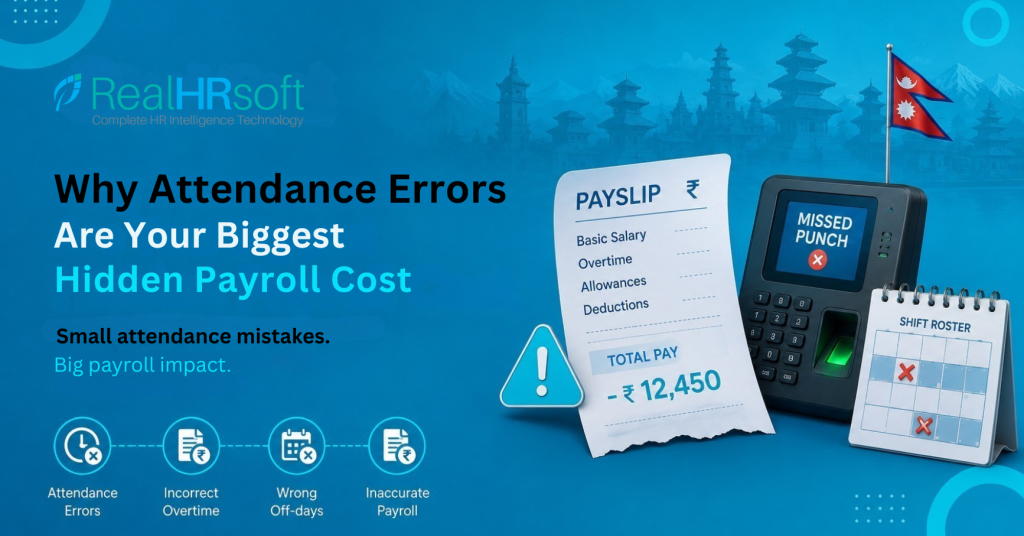
Why Attendance Errors Are Your Biggest Hidden Payroll Cost
Context
For a typical 9-to-5 office, a missed punch-out, a delayed biometric update, or a leave record that wasn’t updated on time may seem like a minor inconvenience. HR can usually correct it and move on. But in a hospital, hotel, call center, or manufacturing plant operating 24/7 with rotating shifts, a single attendance error can trigger a chain reaction. One incorrect roster entry can lead to the wrong weekly off, inaccurate overtime, an incorrect leave balance, and eventually an incorrect payslip for an entire shift. By the time HR identifies these issues, they often surface during payroll processing, creating a month’s worth of corrections all at once.
The Problem
24×7 operations produce a specific category of attendance chaos that simple HR systems aren’t built to handle cleanly.
The weekly off problem: A rotating shift schedule means different employees have different weekly offs. If the roster hasn’t been updated before payroll, HR ends up manually cross-referencing last month’s roster against attendance records.
The leave-versus-off-day confusion: Inaccurate scheduling leads systems to incorrectly deduct leave balances for legitimate off-days or fail to record unpaid leave for unscheduled absences.
The night shift span problem: Systems that cannot handle shifts crossing midnight log hours onto two separate calendar days, resulting in flawed overtime calculations.
The off-day and holiday overtime confusion: Failing to tag shifts in the roster messes up the line between substitute leave (for working rest days) and extra pay (for public holidays), leaving compensation choices to memory rather than clear policy.
Recommendation
- Create a separate Work Shift for each shift pattern: Set up individual shifts for morning, afternoon, night, and rotating schedules, with their respective start/end times, grace periods, and the “extend to next day” option for shifts that continue past midnight.
- Configure shift and overtime rules per role, not company-wide: Different roles have different overtime requirements and conditions — a night shift nurse, rotating call center agent, and double-shift factory supervisor may each require different triggers and rates. Establish separate rules for regular days, off-days, holidays, and leave-related overtime, and assign them to the appropriate employee groups.
- Decide upfront: overtime pay or compensatory leave: If certain employees prefer time off instead of overtime payment, set Credit Hours as the default option so the agreed policy is clearly reflected in the system rather than being discussed or negotiated at the end of the month.
- Move roster planning into the Supervisor Portal — not Excel: Allow supervisors to allocate shifts directly through RealHRsoft on a monthly basis. Since scheduling and attendance are managed within the same system, there is less risk of version conflicts, transfer mistakes, or duplicate records.
- Let employees see their own shifts: Once shifts are assigned, employees can view their schedules through the Employee Self Service portal on both web and mobile, including a calendar view. This reduces the need for employees to contact HR about their schedules and minimizes routine queries for supervisors.
- Use the Attendance Dashboard as a pre-payroll check: The dashboard provides real-time visibility into missing punch-ins, attendance irregularities, overtime summaries, and off-day records. Instead of compiling this information manually at payroll time, HR already has a consolidated view of the data needed for verification.
How RealHRsoft Handles This
| Problem | RealHRsoft Feature | |
|---|---|---|
| Multiple shift patterns across 24×7 operations |
|
|
| Multiple shift patterns across 24×7 operations | Overtime Settings — separate configs for regular, off-day, holiday, and leave OT with individual multipliers | |
| Compensatory leave instead of overtime pay | Credit Hours — extra hours convert to leave, not cash | |
| Roster planning without spreadsheets |
|
|
| Employees unaware of their shift schedule |
|
|
| Real-time attendance visibility before payroll |
|
Because Attendance feeds directly into Payroll in RealHRsoft, a correct roster entry produces a correct overtime calculation, which produces a correct payslip without a manual reconciliation step in between.
Before: HR spends the first three days of every payroll period cross-referencing last month’s roster against attendance records, leave applications, and overtime claims, resolving discrepancies manually for every shift worker.
After: The roster is set before the month starts. Employees see their shifts. Overtime rules run automatically. Payroll runs from accurate data.
Ready to see what this looks like for your organisation?
See how RealHRsoft handles shift scheduling, roster management, and 24×7 attendance for complex operations.