
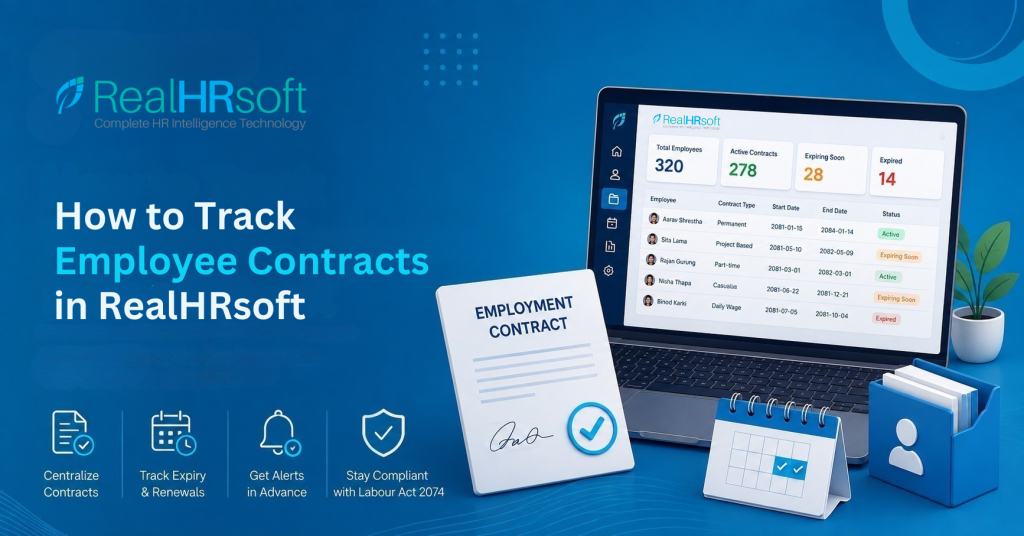
How to Track Employee Contracts in RealHRsoft
Overview
Every employee in Nepal, whether hired as permanent, part-time, casual, project-based, or daily wage staff works under a formal employment contract governed by the Labour Act 2074. Each contract type carries its own duration, renewal cycle, and probation rules, and as headcount grows, keeping track of which contract expires when, for whom, becomes one of HR’s most easily overlooked responsibilities.
RealHRsoft’s contract tracking capability, built into the HRIS module, replaces the scattered spreadsheets, sticky notes, and manual calendar reminders most Nepali employers rely on today. HR gets a single, centralised, always-current view of contract status across the entire organisation, whether that’s 20 employees or 2,000, across one branch or several. Instead of discovering an expired contract after the fact, HR teams can see it coming, act on it in time, and keep a clean, audit-ready record of every renewal along the way.
Problem It Solves
HR teams in Nepal frequently manage employment contract tracking through spreadsheets or informal records rather than a structured system. Under the Labour Act 2074, employers must administer five distinct employment categories — permanent, part-time, casual, project-based, and daily wage — each governed by different contract durations, renewal requirements, and a standard six-month probation period. As an organisation’s headcount increases, the number of contract dates HR must monitor increases proportionally, raising the likelihood that a renewal or closure date is missed.
This creates measurable compliance exposure. A contract that lapses without formal renewal or closure places the employment relationship in an undefined legal status, which becomes a specific area of scrutiny during a Department of Labour audit, an inspection that may occur without prior notice. For organisations employing foreign nationals, an expired employment contract is often linked to an expired work permit, which constitutes illegal employment under current regulations. For organisations scaling headcount month over month, dependence on manual tracking by a single HR administrator introduces a level of risk that is difficult to sustain as the employee base grows.
Step-by-Step Process
Step 1: Set up your contract types and durations
Go to HRIS > Settings > Contract Settings. Define your employment types — permanent, part-time, casual, project, daily wage — matching Labour Act 2074 classifications, and set standard contract durations and probation periods for each type.
Step 2: Attach the contract to the employee profile
When onboarding a new hire through HRIS > Employee > Pre-Employment > Add, upload the signed employment contract directly into the employee’s Employee Document record. Every contract is stored digitally against that employee’s profile.
Step 3: Set the contract expiry date
Enter the contract start and end date at the point of onboarding or during a change type update (increment, promotion, extension). RealHRsoft logs this against the employee’s record and feeds it into your reporting.
Step 4: Monitor contract status centrally
Go to HRIS > Reports > Basic Reports > Contract Status. This report shows every employee’s current contract status across the organisation — active, nearing expiry, or expired — filterable by branch, division, or employment type.
Step 5: Renew or close out the contract
From the same Contract Status report, HR can initiate a renewal directly, which routes through the standard Employment Review change-type workflow, or begin the separation process if the contract will not be renewed.
Best Practices for Contract Tracking
- Match your contract types exactly to Labour Act 2074 categories. Getting the classification right at Step 1 means probation periods and renewal windows calculate correctly downstream — no manual correction later.
- Check the Contract Status report monthly, not just when a renewal is already due. Reviewing contracts nearing expiry 30–60 days out gives HR and the employee’s supervisor time to act, rather than reacting after the fact.
- Cross-check contract expiry against work permit expiry for foreign employees. These two dates are often linked, and an expired contract paired with an expired permit is a compliance risk on two fronts at once.
- Route every renewal through the Employment Review / Change Type workflow, even when it feels routine. This keeps a documented, timestamped approval trail — exactly what a labour audit or internal review will ask to see.
- Store amendments and addendums alongside the original contract, not as a separate note. Employee Document should reflect the full, current state of the employment relationship, not just the day-one paperwork.
How RealHRsoft Helps
RealHRsoft doesn’t just store contracts, it turns contract compliance into a system HR can run on, rather than a task HR has to remember.
- HRIS Module (Employee Document + Contract Status Report): Every signed contract is retained digitally against the employee’s profile. The Contract Status report then shows HR, which contracts are active, which are about to expire, and which have already expired — no more manually checking spreadsheets every month.
- Employment Review / Change Type Workflow: Contract renewals don’t happen through a quick email or a verbal. Every renewal, extension, or closure goes through a proper approval process, so there’s always a clear record of what happened and when.
Previously, HR teams had to manually cross-check spreadsheets against individual employee files on a recurring basis just to catch upcoming expiries — a process that ate up hours and still left room for error. With RealHRsoft, that function lives in one report, and renewal is a defined workflow step rather than something HR has to remember on their own. The system handles the operational tracking of contract compliance in the background, so HR leaders can spend their time on workforce strategy, not spreadsheet reconciliation.
Conclusion
RealHRsoft’s HRIS module consolidates contract tracking within a single system, removing the need for manual spreadsheet management. The Employee Document feature retains every signed contract digitally against the employee’s profile, ensuring records are centrally stored and do not rely on physical files or individual recall. The Contract Status report provides HR with a consolidated, filterable view of contract standing across the organisation — active, approaching expiry, or expired allowing renewals to be actioned on schedule rather than identified retrospectively.
Previously, HR teams were required to manually reconcile spreadsheets against individual employee files on a recurring basis to identify upcoming expiries, a process that consumed considerable time and remained prone to oversight. With RealHRsoft, this function is consolidated into the Contract Status report, and renewal is managed as a defined workflow rather than an ad hoc task.
This reflects RealHRsoft’s underlying approach enabling HR teams to direct their attention toward workforce strategy while the system manages the operational tracking of contract compliance in the background.
Disclaimer: This article is for general informational purposes only and does not constitute legal advice. Employment contract categories, durations, and probation rules referenced here are based on the Labour Act 2074 as understood at the time of writing; laws and regulations are subject to change. Employers should verify current requirements and confirm entity-specific obligations with a qualified legal or HR compliance professional before taking action. Screenshots, workflows, and feature names reflect the RealHRsoft platform at the time of publishing and may be updated as the product evolves.
Stop tracking contract expiry in spreadsheets — automate it with RealHRsoft. Book a Demo today.