How to Run 360-Degree Performance Feedback in RealHRsoft
Overview
360-degree feedback is a performance appraisal method that gathers input on an employee from every direction, their supervisor, peers, subordinates, and their own self-assessment rather than relying on a single manager’s opinion. In Nepal, where most SMEs and even larger organizations still run appraisals as a one-way, top-down conversation between an employee and their supervisor, this creates blind spots: a manager may not see how an employee collaborates with peers, supports juniors, or handles cross-team dependencies. This one-sided view often leads to appraisal disputes, perceived favouritism, and demotivated high performers who feel unseen. 360-degree feedback matters because it replaces a single, potentially biased opinion with a rounded, evidence-based picture, improving fairness, surfacing blind spots in leadership and soft skills, and giving employees confidence that their full contribution (not just what one supervisor notices) is being evaluated. For organizations, this translates into better succession planning, more accurate promotion and increment decisions, and stronger retention of talent who no longer feel their appraisal is a “one-person verdict.” For employees, it means recognition that reflects how they’re actually experienced across the organization by the people they support, the peers they collaborate with, and the leaders they report to.
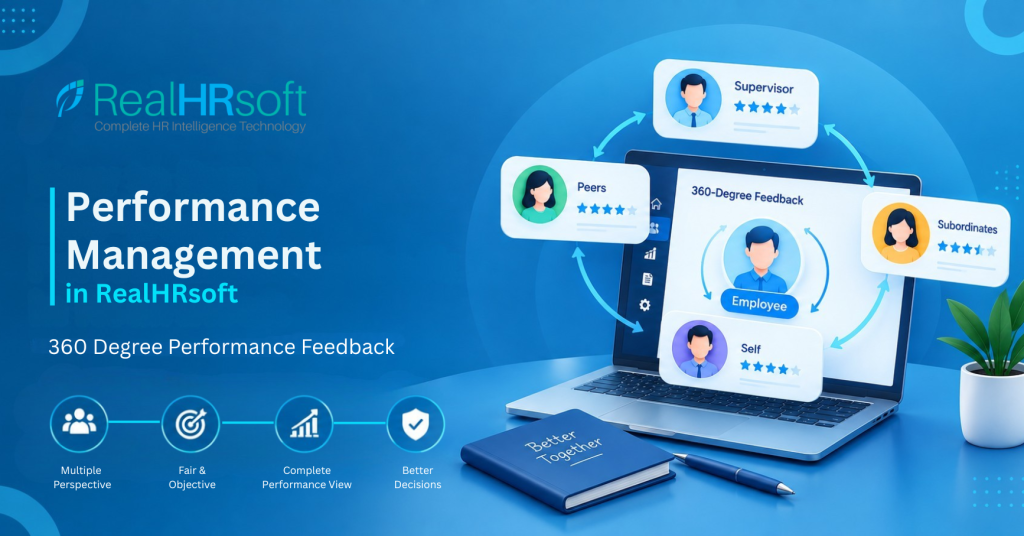
360-degree feedback in RealHRsoft provides a complete view of an employee’s performance by gathering feedback from all relevant perspectives such as – self, supervisor, peers, and subordinates within a single appraisal cycle. Rather than relying solely on a manager’s assessment, RealHRsoft’s Performance Appraisal module brings together and consolidates feedback from multiple sources automatically, helping ensure the final rating reflects an employee’s overall performance across the organisation.
Best Practices
Getting real value from 360-degree feedback isn’t just about switching the feature on — it depends on how the appraisal is structured before feedback collection even begins. RealHRsoft is designed for exactly this: the Performance Appraisal module allows HR to configure Key Result Areas (KRA), Key Performance Indicators (KPI), and Knowledge, Skills, Ability, and Other attributes (KSAO) for every role, so each appraisal cycle runs on a defined structure rather than an open-ended rating exercise. Having these features available is only half part — the practices below are what actually turn them into a genuinely useful performance:
- Set KRAs and KPIs: Set clear Role Expectations and Measurable KPI Targets at the beginning of the evaluation period rather than during final reviews. With RealHRsoft, managers can define and assign goal-aligned targets upfront, ensuring all reviewers whether self, supervisor, peer, or direct report to evaluate employees against identical, pre-established standards.
- Establish KSAO Standards: Ratings on Knowledge, Skills, Ability, and Other Attributes (KSAO) capture how an employee delivers results — not just whether their targets were achieved, but how they achieved them through teamwork, ownership, communication, and other key behaviours. Assign KSAO competencies relevant to the role so peer and subordinate feedback has structured categories to respond against, rather than vague open-text comments that are hard to compare or defend later.
- Select Qualified Evaluators: Choose 2–3 peers who have collaborated closely with the employee during the review period. Limiting reviewers to those with direct, meaningful interactions ensures a credible, well-rounded assessment without overwhelming the evaluation process.
- Conduct Calibration Reviews: Before finalizing the cycle, analyze consolidated KRA/KPI and KSAO scores to identify outliers, such as an unexpectedly high or low peer rating. This catches bias or misunderstanding early, saving HR from having to justify disputed scores later on.
Step-by-Step: Running 360-Degree Feedback in RealHRsoft
- Configure the appraisal cycle: In HR User > Employee Appraisal > Settings, define the appraisal period, weightage per rater category (self, supervisor, peer, subordinate), grading scale, and the common questionnaire section. This is a one-time setup per cycle.
- Add the peer-to-peer and evaluator layer: Under Dignity > Evaluator List, request or assign performance evaluators for each employee being appraised — this is what turns a standard top-down appraisal into a genuine 360-degree review. Selecting evaluators thoughtfully matters here.
- Assign employees and questionnaire sections: In Employee Appraisal > Settings > Target, assign each employee to the correct appraisal process and questionnaire section, so ratings are scored against role-relevant criteria rather than a generic form..
- Roll out the appraisal: From Employee Appraisal > Appraisal, roll out the cycle. RealHRsoft automatically notifies every rater — self, supervisor, peers, and subordinates — with their pending forms.
- Collect peer-to-peer scores: Employees complete their assigned Peer to Peer Form from the normal user side (Dignity > Peer to Peer Form), scoring colleagues against the same criteria set by HR. a peer’s score and a supervisor’s score need to be measuring the same underlying dimensions of performance for the final weighted result to be meaningful.
- Track completion and send reminders: RealHRsoft automatically flags which raters haven’t submitted yet and can notify users of delays in the appraisal process, removing the need for HR to manually maintain a tracking spreadsheet or chase individuals one by one over email during what is typically the busiest week of the appraisal season.
- Review the consolidated score: Once all rater categories have been submitted, RealHRsoft calculates a weighted final score that accounts for the number of appraisers involved and the specific weightage assigned to each category — self, supervisor, peer, and subordinate combined into one defensible number.
- Generate the final report: Under Reports, pull the comprehensive final report per employee, showing category-wise scores and overall performance outcome ready to share in a one-on-one conversation. This is what gets shared – not just a single number, but a transparent, auditable picture of exactly where that number came from. That transparency is what makes the appraisal conversation easier for the manager to have, and much harder for the employee to dispute
How RealHRsoft Helps
RealHRsoft’s Employee Appraisal module streamlines the complete feedback-to-report process. It automatically assigns evaluators, sends and monitors feedback requests, applies category-specific weightages, and calculates final scores based on the number of appraisers and their assigned weights, eliminating the need for manual calculations.RealHRsoft’s Performance Appraisal module lets HR configure KRA-aligned KPI targets and KSAO competency ratings for each role before the cycle opens, then automatically routes self, supervisor, peer, and subordinate feedback against those same criteria with evaluator weightages applied and final scores calculated instantly.
The Dignity module further strengthens the process by incorporating feedback from peers and subordinates, giving organisations a more complete picture of an employee’s performance. Instead of relying solely on a supervisor’s perspective, ratings reflect how employees collaborate, contribute, and perform across the organisation.
This brings “Emphasize Strategy, Automate HR” to life — HR defines the appraisal framework once, while RealHRsoft handles feedback collection, scoring, consolidation, and reporting. This allows HR teams to spend less time reconciling spreadsheets and more time having meaningful performance and coaching conversations.
Ready to replace fragmented, manual appraisal forms with one automated 360-degree feedback?
Book a demo and see how RealHRsoft turns weeks of score-chasing into a same-day consolidated report.