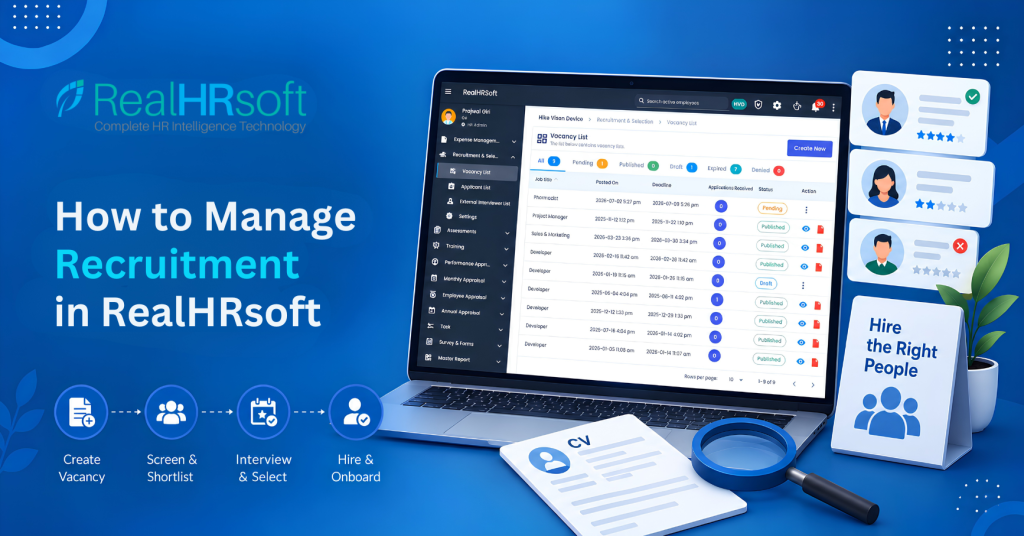
How to Manage Recruitment in RealHRsoft
Overview
Most HR teams in Nepal still manage recruitment through a mix of Excel trackers, WhatsApp forwards, and manual interview scheduling. Applications get lost in inboxes, shortlisting is inconsistent from one interviewer to the next, and there’s no single place to see how many candidates are in the pipeline for a given vacancy.
How RealHRsoft Helps
RealHRsoft’s Recruitment & Selection module removes the confusion between Recruiting and Onboarding that most HR teams struggle with. Applications, candidate Scores, and interview data can easily be registered into the system instead of scattered spreadsheets and inboxes, so shortlisting is consistent and no information gets lost.
Once a candidate is selected, the HRIS Onboarding module automatically creates the new hire’s profile from the recruitment record, offer letters can be generated instantly from Letter Template, and the employee can move straight to the contract creation and SSF registration.
This lets HR leaders in Nepal focus on acquiring real talent and building the team while RealHRsoft handles the manual operations.
Step-by-Step Process
- Create the Vacancy: Go to Recruitment & Selection > Vacancy List and create a new vacancy. Add the job title, department, employment type, and number of openings. As soon as it’s published, the vacancy shows up on your organization’s careers page URL. From that point on, candidates can submit applications straight into the system, instead of sending a CV by email that HR has to track down and log manually.
- Review Applications: Open Application List to see every application received against that vacancy in one dashboard — Total Applications, Selected, and Rejected are shown at a glance. Rather than digging through separate inboxes or depending on a shared spreadsheet that only stays current if someone remembers to update it, the entire hiring panel works from the same live view. This removes the scattered inbox-and-spreadsheet method most SMEs still rely on, and ensures that whoever checks on the vacancy — HR, the hiring manager, or leadership — sees the exact same numbers without having to chase updates.
- Set Up Recruitment Questions: Before shortlisting, configure your screening and interview questions under Settings > Recruitment Questions. RealHRsoft supports separate question sets for shortlisting, preliminary screening, interviews, and reference checks so every candidate is evaluated against the same standard.
- Shortlist and Select: Move candidates through the pipeline directly in the Application List — mark them as selected or rejected as decisions are made. Every status change is tracked, so there’s a clear record of who reviewed what and when. Also every status update is logged, creating a clear trail of who made which call and when rather than depending on memory or an informal conversation to justify why a candidate advanced or was dropped.
- Generate the Offer Letter: Once a candidate is selected, use Settings > Letter Template to generate a compliant offer letter instantly from a pre-built template — no manual drafting from scratch each time. The template automatically pulls in the candidate’s details from their existing record, cutting down on the copy-paste mistakes that tend to happen when letters are written individually in Word. It also guarantees that every offer letter follows the same format and tone — important both for the candidate’s experience and for keeping HR paperwork consistent.
- Convert to Employee: The selected candidate flows into HRIS > Employee > Pre-Employment > Add, where they’re added as a new employee and can immediately enter the Onboarding workflow — contract, SSF registration, and supervisor assignment all follow from the same record. Contract generation, SSF registration, and supervisor assignment all draw from that same record, so there’s no need to re-enter any of the candidate’s original application details. This bridges the gap between recruitment and onboarding that trips up most HR teams — the new hire starts their first day with contract, statutory registration, and reporting structure already underway, instead of HR racing to piece them together afterward.
Best Practices
- Build your Recruitment Questions library once, per role type: Set up separate question sets for shortlisting, screening, interviews, and reference checks so every future vacancy for that role re-uses the same standard. This removes inconsistent questioning — a common reason hiring decisions get challenged later and saves the hiring manager hours of prep work on every new opening.
- Always publish a vacancy with a clearly defined number of openings: This one detail determines how accurate your Application List summary is — Total Applications, Selected, and Rejected are all read against it. If you leave it vague then your reporting becomes unreliable.
- Review the Application List weekly rather than daily: Daily check-ins lead to reactive shortlisting, where early applicants get judged differently than later ones. A weekly review lets the panel compare a fuller candidate pool at once and make more consistent shortlisting calls.
- Convert selected candidates to employee records within 24–48 hours of offer acceptance: SSF registration and contract generation are time-bound and ideally need to be complete before the new hire’s start date. Delaying this step risks the employee starting without a signed contract or SSF enrollment in place — both a compliance gap and a poor first impression.
How RealHRsoft Helps
RealHRsoft removes the gap between hiring and onboarding — the point where most Nepal HR teams lose time and data. The Recruitment & Selection module captures applications, scores, and interview data in one record instead of scattered spreadsheets and inboxes, so shortlisting stays consistent across every panel member. The HRIS Onboarding module then picks up that same record automatically once a candidate is selected — generating the offer letter from Letter Template, creating the employee profile, and carrying the candidate straight into contract creation and SSF registration without re-entering a single field.
This is what lets HR leaders in Nepal step back from manual coordination and focus on strategy — building the right team — while RealHRsoft handles the operational mechanics of getting a candidate from application to first day.
Automate your hiring pipeline — from vacancy to onboarding, in one system. Book a demo today